How to Convert a PDF to Black and White (Grayscale) for Free
Convert a PDF to black and white for a smaller file or cheaper printing: grayscale vs pure black and white, a free online method, and when to keep colour.

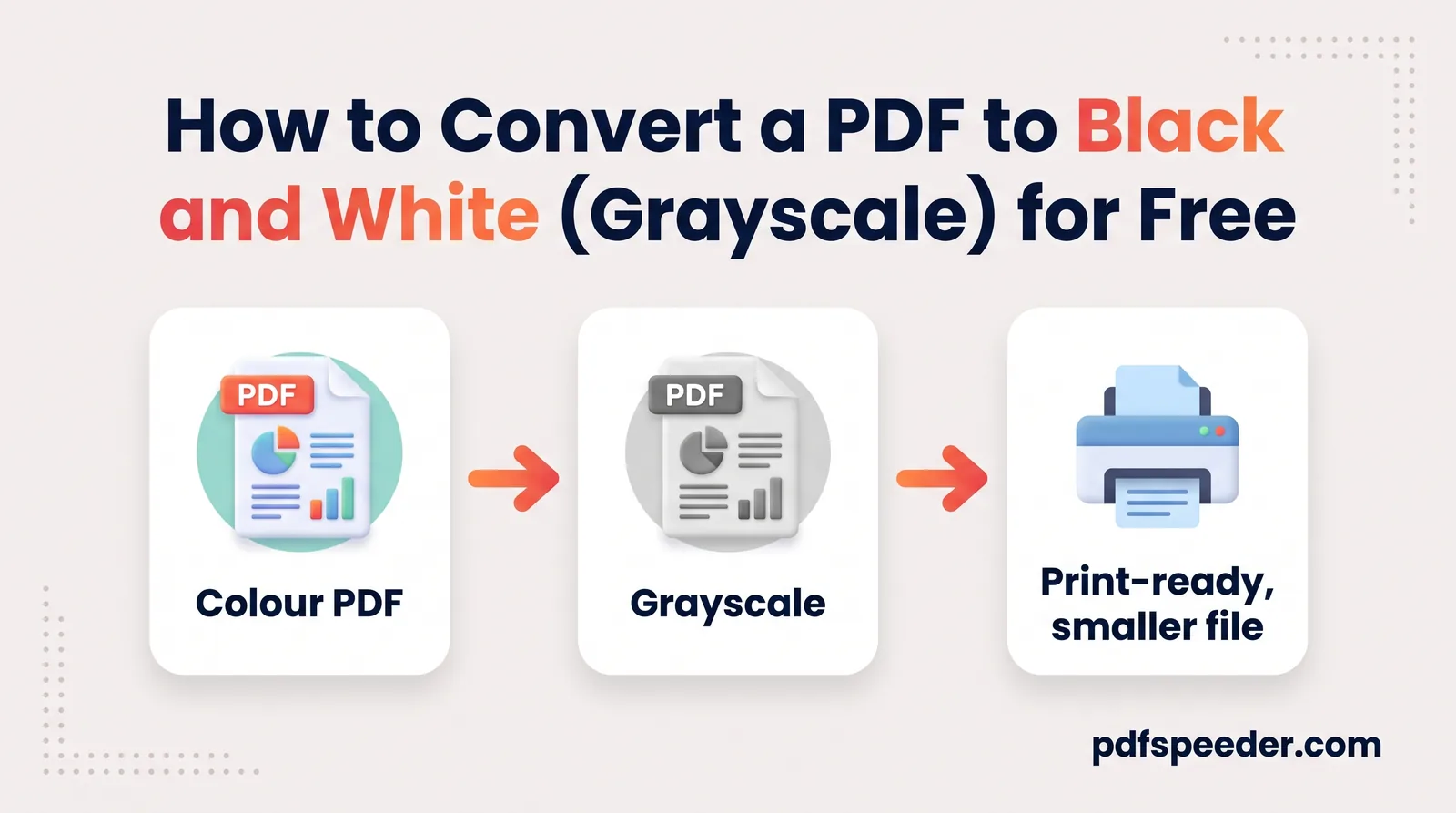
To convert a PDF to black and white, run it through Compress PDF with Convert to grayscale ticked: every colour on every page, text and photos included, turns into a shade of gray, and the text stays selectable. If all you want is to save ink, you don't need to change the file at all; choose black and white in your printer settings instead. Below, both routes step by step, how much smaller grayscale really makes a file, and when you should keep the colour.
On this page
Grayscale vs black and white: what's the difference?
People say "black and white" for two different things:
- Grayscale keeps up to 256 shades of gray per pixel. Photos stay recognisable, stamps stay visible as darker patches, and this is what Compress PDF's black-and-white option produces.
- Pure black and white (also called 1-bit or bilevel) allows only black or white for each pixel. It makes the smallest scans of typed pages, but light stamps and faint pencil can vanish, and photos turn into patterns of dots.
The difference shows in the raw size of one A4 page scanned at 300 DPI, before any compression:
| Mode | Stored per pixel | Raw size of one A4 page at 300 DPI |
|---|---|---|
| Colour | 3 bytes | 26.1 MB |
| Grayscale | 1 byte | 8.7 MB |
| Pure black and white | 1 bit | 1.1 MB |
pixels on an A4 page at 300 DPI = 2,480 × 3,508 = 8,699,840
colour = pixels × 3 bytes; grayscale = pixels × 1 byte; black and white = pixels ÷ 8 bytes
Compression changes the picture, though. JPEG already stores colour information more cheaply than brightness, so on a mostly black-and-white typed page, a grayscale scan barely beats a colour one. A pure black-and-white scan is in a different class: on scan-style sample pages it took 54 KB per page, against more than 1,100 KB for colour or grayscale at the same resolution. You get that only by scanning in black-and-white (often called "text") mode; converting an existing PDF gives you grayscale.
How to convert a PDF to black and white (grayscale) online
Compress PDF has the grayscale switch built in, so you get a gray and smaller file in one go:
- Open Compress PDF and add your file (up to 100 MB).
- Choose a level. Low Compression keeps images at 200 DPI, good for printing; Balanced keeps 100 DPI, which suits email and upload portals.
- Open Advanced Options and tick Convert to grayscale.
- Select Compress PDF. The result screen lists the options it applied, including "Converted to grayscale", and shows the first page before and after.
- Download the copy ending in "-compressed".
In tests, the conversion was complete: rendering the result found no coloured pixel left on the page, and the text could still be selected and searched. If going gray happens to make a file bigger, you still get the gray version, because that's what you asked for.
The file is uploaded over an encrypted connection, processed on our server and deleted automatically within 2 hours. Each file counts as one task in the free daily allowance: 2 a day without an account, 3 with a free account, reset at 00:00 UTC (05:30 IST). Running the same file again within 2 hours, at another level or with other options, is free.
On a Mac: Preview's Quartz filters
Apple's Preview guide notes that its Quartz filters can convert a colour document to black and white. Open the PDF in Preview, choose File > Export, pick a black-and-white or gray filter from the Quartz Filter menu and save under a new name. It runs on your Mac, so nothing is uploaded.
When you need images: PDF to JPG in grayscale
PDF to JPG has a Grayscale colour mode that turns each page into a gray JPG, at a resolution from 72 to 600 DPI and a quality from 40 to 100%. It runs in your browser on PDFs up to 200 MB, and the images download one by one or as a ZIP. Use it when a portal wants images rather than a PDF. Just remember the result is pictures: the text can no longer be selected or searched, even if you turn the images back into a PDF.
Print in black and white without changing the file
If the point is cheaper printing, leave the PDF alone and change the print settings. The file stays in colour for everyone else, and you save toner on your copy.
- On a Mac: press Command-P. Apple's guide confirms the Print dialog lets you choose colour or black and white, as long as your printer supports colour.
- On Windows: in the Print dialog, open the printer's Properties or Preferences. Printer makers label it differently: look for Grayscale, Black and white, Mono or Colour: Off.
- In a browser: Chrome and Edge usually show a colour setting in their print preview when your printer can print in colour; switch it to black and white.
Turn the setting back afterwards if it sticks, or your next colour print will come out gray.
How much smaller does grayscale make a PDF?
Less than you might expect, because the compression level does most of the work. Here's what each setting did to sample files:
| Sample | Original | Balanced | Balanced + grayscale | Low | Low + grayscale |
|---|---|---|---|---|---|
| Three colour photos, one per page | 13.5 MB | 198 KB | 177 KB | 1,234 KB | 948 KB |
| 24-page scan-style document | 28.8 MB | 2,745 KB | 2,648 KB | 12,982 KB | 10,987 KB |
| Word report with three photos | 609 KB | 160 KB | 150 KB | 481 KB | 459 KB |
| Word report, text only | 204 KB | 70 KB | 70 KB | 76 KB | 70 KB |
On top of the compression level, grayscale took off a further 0 to 11% at Balanced and 5 to 23% at Low. The photos gained most, because they hold the most colour; the typed report gained nothing at Balanced. Compress PDF's size estimate on the page assumes grayscale saves about 12% more, within that range, but the real saving depends on how much colour your pages hold.
The takeaway: if you need a smaller file, choose a stronger level first, and treat grayscale as a final squeeze for colour-heavy pages. For tight limits, our guide to fitting a multi-page scan under 200 KB has the per-page arithmetic, and the scanned PDF guide covers scanning in black and white from the start. If neither setting makes much difference, our guide to why a PDF is so large shows what else could be inflating it.
When you should keep the colour
Gray throws information away, and sometimes that information is the point:
- Stamps and seals. A red or blue seal on a certificate becomes a gray patch that's easy to mistake for a smudge.
- Signatures in coloured ink. If a form asks for a signature in blue ink, a gray copy can't show it.
- Photos on ID proofs. When a portal asks for a colour scan of an ID card or certificate, send colour.
- Charts and colour-coded tables. In a test, the light red and light green cell fills often used for "bad" and "good" in spreadsheets turned into two light grays, 212 and 227 on a 0 to 255 scale: almost impossible to tell apart. Red and green bars or map areas suffer the same way.
- Highlights. In the same test, pure yellow came out at 248, almost white, so highlighted text loses its highlight.
Read the instructions of the portal or office you're sending to before converting. When in doubt, keep a colour original and send a gray copy only where colour isn't required.
Ready to try it? Open Compress PDF, tick Convert to grayscale under Advanced Options, and check the first-page preview before you download.
Frequently asked questions
How do I make a PDF black and white for free?
Use Compress PDF with Convert to grayscale ticked, which turns every colour gray and usually shrinks the file. On a Mac, Preview's Quartz filters can also convert a colour document to black and white.
Is grayscale the same as black and white?
No. Grayscale keeps shades of gray, so photos and stamps stay visible; pure black and white keeps only black and white pixels, which suits typed scans but can erase light marks.
How do I print a PDF in black and white?
Choose black and white, grayscale or mono in the Print dialog or in your printer's properties. The PDF itself stays in colour.
Does converting a PDF to grayscale reduce the file size?
A little: in tests, it saved up to 11% on top of Balanced compression and up to 23% on top of Low. The compression level matters far more.
Will the text still be searchable after converting to grayscale?
Yes, with Compress PDF the text stays real text. Converting pages to grayscale JPG images, however, turns the text into pictures.