How to Create a UPI QR Code for Payments (Free, With Amount)
How to create a UPI QR code for your UPI ID, with or without a fixed amount: what the code holds, how to test it, print sizes, logos and the scam to avoid.

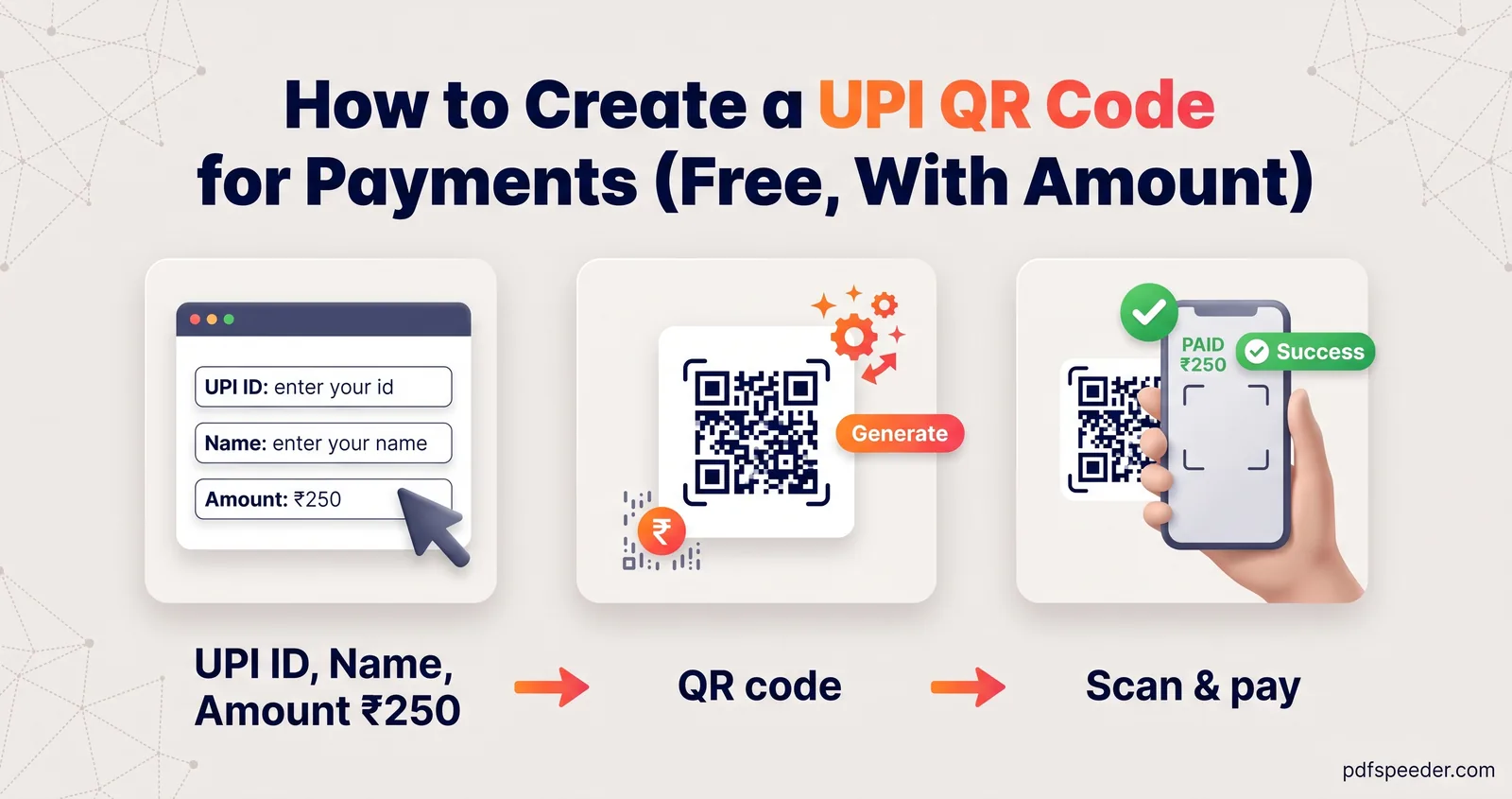
To create a UPI QR code, enter your UPI ID (also called a VPA, such as name@bank) and your name in a QR generator that supports UPI, add an amount only if every payment should be the same, then download the image and test it with a UPI app before you print or share it. The code holds a short upi://pay link that UPI apps understand. Your UPI app can already show a basic QR for your account, so a generator earns its place when you want a fixed amount, a note, your own colours or a sharp file for printing.
On this page
What's inside a UPI QR code
A QR code is just text drawn as squares. In a UPI QR code, that text is a link like this:
upi://pay?pa=meera.krishnan@okhdfcbank&pn=Meera%20Krishnan&am=250.00&cu=INREach part is a parameter defined in NPCI's UPI linking specification, the document that tells UPI apps how to read these links:
| Part | Meaning | Required? |
|---|---|---|
pa |
Payee address: your UPI ID | Yes |
pn |
Payee name | Yes |
am |
Amount, as a plain decimal such as 250 or 1499.50 | No; leave it out and the payer types the amount |
cu |
Currency; INR is the only value | No |
tn |
A short note describing the payment | No |
The %20 stands for a space, because the values are URL-encoded (the @ in the UPI ID is left as it is), and the amount is written with two decimals. Notice what isn't there: no account number, no IFSC code and nothing that lets anyone take money from you. A UPI QR code only tells the payer's app where to send money, which is why sharing it is about as safe as sharing your UPI ID. Merchant QR codes from banks add more fields, such as a merchant code and an order reference.
The same text works as a UPI payment link, but whether tapping a link opens a payment app depends on the phone and the apps installed. A QR code is the dependable way to share it.
How to create a UPI QR code step by step
- Find your UPI ID. It's on the profile or settings screen of your UPI app, usually in the form name@bankhandle.
- Open the generator. In our QR Code Generator, choose the UPI Pay type.
- Fill in the fields. Enter your UPI ID (VPA) and Payee name. The generator won't make a code without the name, because NPCI's specification treats it as required. Amount and Note are optional.
- Check the design. The defaults (black on white, Medium error correction, a quiet-zone margin of 4) are the safest choice. The panel under the code shows its QR version and character count.
- Download it. Pick PNG at 512, 1024, 2048 or 4096 pixels, or SVG for printing at any size, or use Copy image to paste it into a document.
The generator runs entirely in your browser, so your UPI ID and name aren't sent to any server.
Fixed amount or let the payer type it?
Leave the amount blank and you get one reusable code: the payer's app opens with the amount field empty, and they type what they owe. Add an amount and every scan pre-fills that figure.
| Situation | Amount in the code? | Example note |
|---|---|---|
| Shop counter or market stall | No | Leave blank |
| Fixed monthly fee, such as tuition or a society charge | Yes | Tuition October |
| Event tickets at one price | Yes | Workshop ticket |
| Splitting a bill among friends | Yes, per person | Dinner share |
| An invoice | Yes | Invoice 2026-0417 |
Type the amount as a number, like 250 or 1499.50. The specification expects a plain decimal, so the generator strips a ₹ sign, commas and spaces and writes the amount with two decimals: ₹1,000 goes into the code as 1000.00. Anything else, such as more than two decimal places, it asks you to fix instead of making a code. A note pre-fills a short description in the payer's app, which helps both of you recognise the payment later.
Test before you print
A typo in one letter of your UPI ID sends payments nowhere, or to someone else, so test every new code before it goes on a wall:
- Scan it yourself. Use the scanner in your UPI app and check the name, UPI ID, amount and note it shows. Then cancel: there's no need to go further.
- Do a real payment. Ask a friend or family member to pay ₹1 and confirm it reaches your account.
- Try more than one app. Customers use different UPI apps, so check with at least two.
- Test the printout. Print a draft at the real size and scan it from where customers will stand, under the actual shop lighting.
Warning: You never need to scan a QR code or enter your UPI PIN to receive money. The Reserve Bank of India makes the same point in its BE(A)WARE booklet on common frauds. If a "buyer" sends you a QR code or a collect request and says you'll be paid once you enter your PIN, it's a scam: entering your PIN only ever sends money out.
The code itself is safe to display; what protects your money is your UPI PIN and your phone's screen lock. Keep the PIN to yourself, and lock the phone with a passcode that's hard to guess, as our guide to creating a strong password explains.
Print size, colours and logos that still scan
How big to print depends on how many modules (squares) the code has. A typical personal UPI link of about 70 characters becomes a 37 × 37 module code at Medium error correction, and 49 × 49 modules at High, which the generator switches to when you add a logo. Here's how big each module is at different print widths, including the standard quiet zone of 4 modules on every side:
| Printed width | 37 × 37 code (no logo) | 49 × 49 code (with logo) |
|---|---|---|
| 3 cm | 0.67 mm per module | 0.53 mm per module |
| 4 cm | 0.89 mm per module | 0.70 mm per module |
| 5 cm | 1.11 mm per module | 0.88 mm per module |
Bigger modules scan faster, from further away and on older phones, so for a shop counter, more is better. For print files, a 1024-pixel PNG covers 8.7 cm at 300 DPI, which suits a counter stand; for a poster, use the 4096-pixel PNG or the SVG. If a print shop needs the file at a set size, Image Resizer can embed a print DPI, and its Fit with padding option can place the code (start from the 2048-pixel PNG) on a 1080 × 1920 canvas with white margins for a phone status or wallpaper.
A few design rules keep the code readable:
- Keep it dark on light. The generator warns you when the contrast between your two colours drops too low.
- Keep the white border. The quiet zone helps scanners find the code, so don't crop it or place the code against a busy background.
- Go easy on logos. Turning on the logo switches error correction to High, and the logo size slider runs from 12% to 30% of the width, starting at 22%. The code gets denser, so print it a little larger and test it.
- Avoid glare. A matte finish or matte lamination scans better under bright lights than glossy paper.
When to use your bank's merchant QR instead
A generator gives you a code that pays your UPI ID, which suits a tutor, a freelancer, a society treasurer or a one-off event. For a shop with regular sales, a merchant QR from your bank or a payment app's business service is designed for the job: it's tied to a merchant account, can carry a merchant code and order references, and providers can add extras such as payment alerts, sound boxes and settlement reports. Ask your bank which option fits your business, and about any charges or limits that apply.
Ready to make yours? Open the QR Code Generator, choose UPI Pay, fill in your UPI ID and name, and test the code with ₹1 before you print a single copy.
Frequently asked questions
Is it free to create a UPI QR code?
Yes. Your UPI app can show one for free, and PDFSpeeder's QR Code Generator creates UPI codes in your browser at no cost, with PNG and SVG downloads.
Can I make a UPI QR code with a fixed amount?
Yes. Enter the amount as plain digits, such as 250, and every scan pre-fills it. Leave the field blank if payers should type their own amount.
Is it safe to share my UPI QR code?
It contains only your UPI ID, name and any amount or note you added, so nobody can use it to take money from you. Never enter your PIN to receive a payment.
Does a UPI QR code expire?
No. The link is stored in the code itself, so it keeps working for as long as your UPI ID stays active.
Will my QR code work with Google Pay, PhonePe and Paytm?
It uses the standard upi://pay format that UPI apps read. Test it with the apps your payers use before you print it.