What Is PDF/A? The Archival PDF Format Explained Simply
What is PDF/A? How the archival format differs from a normal PDF, what levels like PDF/A-1b mean, who asks for it, and how to create and check a PDF/A file.

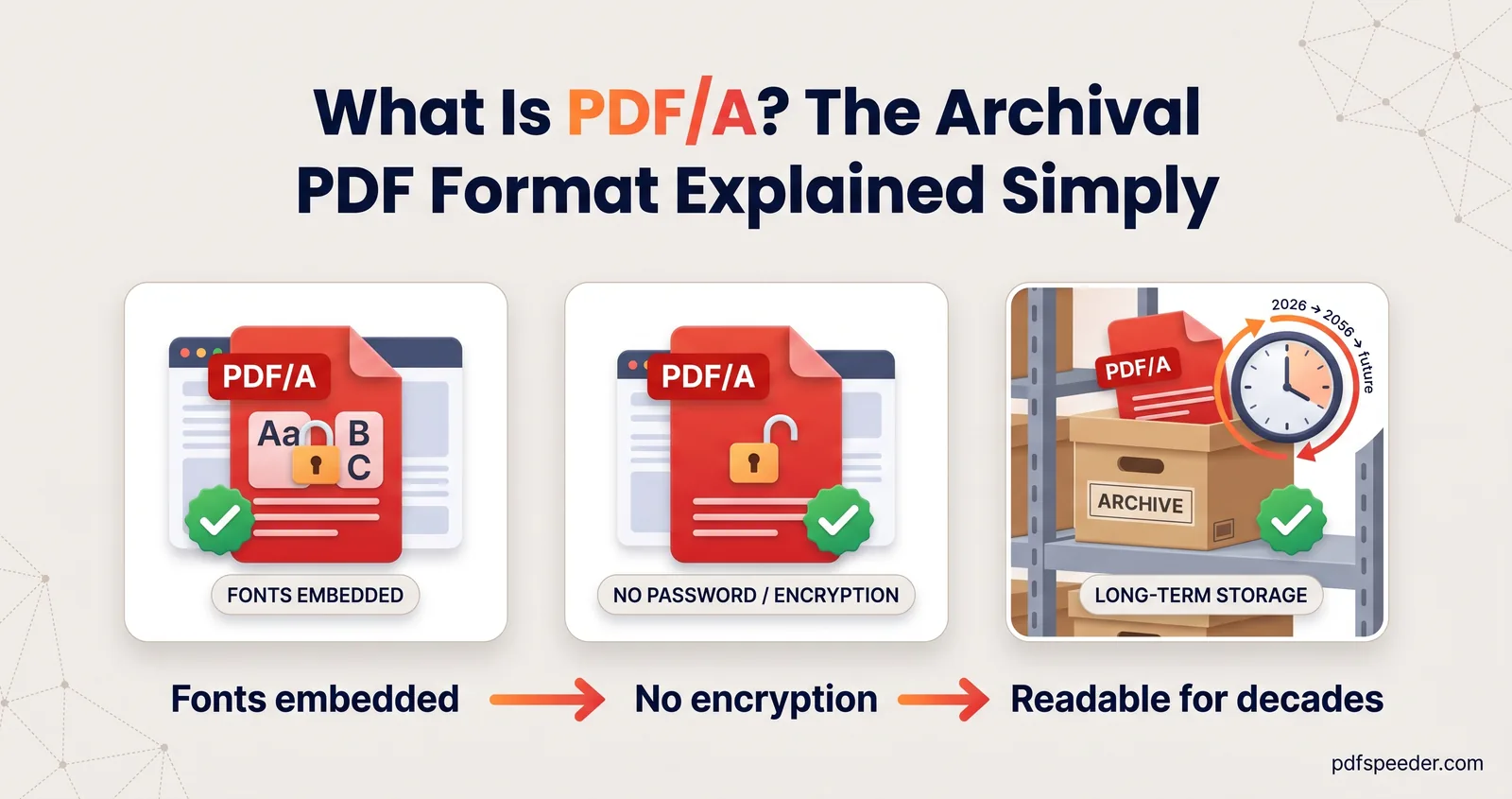
PDF/A is a stricter form of PDF made for long-term archiving: the file has to carry everything it needs to display, such as its fonts and colour information, and must leave out anything that could stop it opening the same way decades from now, such as encryption and scripts. It's defined by the international standard ISO 19005. Courts, archives and some official portals ask for it, and you can create one from Word or LibreOffice and check it with a free validator.
On this page
What is PDF/A? The short version
An ordinary PDF already looks the same on most devices today. The trouble is tomorrow. A normal PDF can rely on a font installed on the computer that opens it, can be locked with a password nobody remembers in 2045, or can depend on a script or a video player that future software won't run. PDF/A removes those risks by rule.
The standard's own title says what it's for: ISO 19005-1 is "Document management – Electronic document file format for long-term preservation – Part 1: Use of PDF 1.4". A PDF/A file is still a PDF, and any PDF reader opens it; it simply follows a stricter set of rules, and it records in its metadata which part and level of PDF/A it claims to meet.
PDF vs PDF/A: what's different
| Feature | Normal PDF | PDF/A |
|---|---|---|
| Fonts | Can rely on fonts installed on the viewer's device | Every font embedded, and legally embeddable |
| Passwords and encryption | Allowed | Not allowed |
| JavaScript and launching files | Allowed | Not allowed |
| Audio, video and 3D content | Allowed | Not allowed |
| Colour | Can be device-dependent | Defined in a device-independent way |
| Metadata | Optional | Standards-based metadata required |
| Attachments | Any | Depends on the part: none in PDF/A-1, PDF/A files only in PDF/A-2, any format in PDF/A-3 |
| Clickable web links | Allowed | Allowed |
The requirements come from the Library of Congress's description of the PDF/A family. The last row surprises people: PDF/A doesn't ban hyperlinks. What it bans are external dependencies needed to draw the page, so a link to a website is fine, while a font that lives outside the file is not.
What PDF/A doesn't allow, and why it matters to you
Each rule has a practical side effect worth knowing before you're asked for a PDF/A file:
- No passwords. Encryption is forbidden, so a PDF/A file can't be locked. If a document must be both archival and confidential, protect the storage instead: an encrypted drive, an access-controlled folder or a secure portal.
- No scripts or multimedia. Interactive features such as calculating form fields, embedded videos and 3D models have to go. Static content survives; behaviour doesn't.
- Every font inside the file. This is the requirement that most often makes conversion fail. A font whose licence forbids embedding can't be used, so swap it for one that allows embedding before you export.
- Colour and metadata described properly. Colours must be defined independently of any particular screen or printer, and the file must carry standards-based metadata. Good export tools handle both for you.
A side effect of embedded fonts is that a PDF/A file is often a little larger than an ordinary PDF of the same document.
PDF/A versions and levels
PDF/A has four parts, each published as its own section of ISO 19005:
| Part | Standard | Based on | Notable difference |
|---|---|---|---|
| PDF/A-1 | ISO 19005-1:2005 | PDF 1.4 | The original; no attachments |
| PDF/A-2 | ISO 19005-2:2011 | PDF 1.7 (ISO 32000-1) | Allows PDF/A files as attachments |
| PDF/A-3 | ISO 19005-3:2012 | PDF 1.7 (ISO 32000-1) | Allows attachments in any format |
| PDF/A-4 | ISO 19005-4:2020 | PDF 2.0 (ISO 32000-2) | Drops the a, b and u levels |
Parts 1 to 3 come in conformance levels, written as a letter after the number:
- Level b (basic) guarantees the visual appearance: the page will look the same. It's the usual level for scanned documents. So PDF/A-1b means "part 1, basic level".
- Level u (Unicode), available in parts 2 and 3, adds a reliable mapping from every character to Unicode, so text can be searched and copied correctly.
- Level a (accessible) meets every requirement in the standard, including the document structure that makes it usable with assistive technology.
PDF/A-4 replaces the levels with two optional profiles: PDF/A-4f for files with attachments and PDF/A-4e for engineering documents. PDF/A-3's freedom to attach any file is why some electronic invoice formats use it to carry machine-readable invoice data inside a human-readable PDF.
When a requirement names a part and level, match it exactly. A newer part isn't a safe substitute, because PDF/A-2 and PDF/A-3 permit things PDF/A-1 forbids, such as attachments.
Who asks for PDF/A files
You'll rarely need PDF/A unless someone asks for it, but these are the usual places it comes up:
- Courts. Electronic filing systems often prefer it. The Rajasthan High Court's e-filing guidelines, for example, say documents must be converted to PDF/A or PDF before filing, and that "PDF/A is the preferred format for e-filing". The same guidelines ask for scans of not more than 300 DPI, legal-size pages and files of at most 20 MB. For PDF/A for court filing elsewhere, follow the rules of the court you're filing in.
- Archives and records offices, which keep documents for decades and want files that won't depend on today's software.
- Universities and publishers, some of which ask for theses and papers in PDF/A for their repositories.
- Businesses that must keep invoices, contracts and statements for years, and choose PDF/A for their document archives.
If you aren't told to use PDF/A, an ordinary PDF is the right choice: it's simpler to make and can be password-protected when you need that.
How to create a PDF/A file
From Word, PowerPoint or Excel on Windows
Microsoft describes the option in its guide to saving as PDF in Office desktop apps:
- Choose File > Save a Copy (or Save As for a new file) and select Browse.
- Pick PDF in the file type list.
- Select More Options, then Options.
- Tick ISO 19005-1 compliant (PDF/A) and select OK.
- Select Save.
That creates a PDF/A-1 file, as the label says. Microsoft's instructions describe the option for the Windows apps, not for Word on a Mac or on the web. Our guide to converting Word to PDF without losing formatting covers the other export settings, including embedding fonts.
From LibreOffice
LibreOffice is free on Windows, macOS and Linux. Open the document, choose File > Export as PDF and select the PDF/A option on the General tab before exporting.
From an existing PDF
To convert to PDF/A a file that's already a PDF, you need software built for the job, such as Adobe Acrobat Pro. It's harder than exporting from the original document, because the converter has to find and embed every font and strip anything the standard forbids, and it can fail on files with unembeddable fonts or encryption. Whenever you still have the Word or LibreOffice file, export from that instead. And renaming a file, or printing it to a PDF printer, doesn't make it PDF/A.
What about PDFSpeeder?
Our Word to PDF, PowerPoint to PDF and RTF to PDF converters create standard PDFs, not PDF/A, so use one of the routes above whenever PDF/A is required. They're handy when you only need an ordinary PDF and don't have Office on the device: the file is uploaded over an encrypted connection, converted on our server, deleted automatically within 2 hours, and each conversion counts as one task in the free daily allowance (2 tasks a day without an account, 3 with a free account, reset at 00:00 UTC).
How to check if a PDF is PDF/A
A PDF/A file declares the part and level it claims in its metadata, and some readers, including Adobe Acrobat Reader, show a notice when you open a file that makes that claim. A claim isn't proof, though: any program can write the label, and a file edited after export can quietly stop conforming.
To be sure, run it through a validator. veraPDF is a free, open-source validator that covers every PDF/A part and conformance level. Choose the part and level you were asked for, open the file, and the report lists every rule it breaks. The usual culprits are fonts that aren't embedded, encryption, leftover scripts or multimedia, and metadata that doesn't match the standard.
If a file fails, fix the cause in the source document (most often a font) and export again; that's quicker and more reliable than patching the PDF. Want the wider picture first? Our guide to what a PDF file is explains how ordinary PDFs work.
Frequently asked questions
Is PDF/A the same as PDF?
PDF/A is a PDF that follows extra rules for long-term preservation, set out in ISO 19005. Every PDF reader can open it, but not every PDF is PDF/A.
Can a PDF/A file be password-protected?
No. The standard forbids encryption, so adding a password breaks PDF/A conformance. Keep confidential archival files in protected storage instead.
What does PDF/A-1b mean?
It's part 1 of the standard (ISO 19005-1, based on PDF 1.4) at level b, which guarantees the document's visual appearance. Level a adds the structure needed for accessibility.
Can I convert a PDF to PDF/A online with PDFSpeeder?
Not at the moment: our converters produce standard PDFs. Export PDF/A from Word on Windows or from LibreOffice, or use dedicated software such as Adobe Acrobat Pro for an existing PDF.
How do I know if a PDF is really PDF/A?
Check it with a validator such as veraPDF, which tests the file against the rules of the part and level you choose. A label in the metadata only shows what the file claims.